
A domain name tells people who they are dealing with online. For that to work, the details behind each domain need to be correct. When fake or incomplete holder data goes unchecked, it becomes easier to run phishing sites and fraud from domains that look legitimate.
To close that gap, the EU introduced NIS2, an EU cybersecurity directive that requires registries to keep domain holder data accurate and verified. Each country turns NIS2 into national rules, so more registries now ask domain holders to prove their identity. The registries for .de, .at, .pt and .si already run NIS2 registrant verification.
When one of them sends a request, it lands on your support desk, and your team has a few weeks to collect ID from a customer who may not reply. Openprovider Identity Verification turns that request into a five-step flow your customer completes on their own, under your brand.
In this article, we look at:
- What changed for .de, .at, .pt and .si domains
- What happens when a verification request is missed
- How Identity Verification works, what it costs and how it protects customer data
New registry rules for .de, .at, .pt and .si now reach your support desk
Domain resellers now take part in registrant verification under NIS2, the EU’s cybersecurity law. NIS2 Article 28 sets the same duty for every registry, registrar and reseller: keep registration data accurate, complete and verified.
The request reaches you because you own the customer relationship. Each registry applies the law through its own rules:
- DENIC (.de): has run a risk assessment on new and changed domain holder data since 14 April 2026.
- NIC.AT (.at): runs NIC.AT holder verification under Austria’s NISG 2026, so from 1 October 2026 holders must prove their data when asked.
- DNS.PT (.pt): applies revised registration rules from 1 July 2026, which require verified holder data before a registration, transfer or holder change can complete.
- ARNES (.si): checks domain holder data and sends a verification request through the registrar when something needs checking.
Each registry sets its own deadline, and the cost of missing one depends on where the domain is registered.
Miss a verification request and your customer’s domain goes offline
At most of these registries, a missed deadline takes the domain offline, so your customer’s website and email stop working. At DENIC and NIC.AT, the domain can then be lost for good. The table shows what triggers a request at each registry, how long your customer has to reply, and what happens if they miss the deadline.
| Registry | TLD | Trigger | Deadline | If missed |
|---|---|---|---|---|
| DENIC | .de | Registry request | 28 days | Removed from the DNS, then deleted after 90 days with no redemption period |
| NIC.AT | .at | Registry request | 21 days | serverHold, contract cancelled after 30 days |
| DNS.PT | .pt | Registry request, plus new registrations and transfers held until verified | 21 days | Domain stays pending (REQ status) |
| ARNES | .si | Registry request | 21 days | serverHold |
A serverHold is a registry status that takes a domain offline while the registration stays in place. Our Knowledge Base pages for .de, .at, .pt and .si list the documents each registry accepts, including what to send for a .pt proof request.
Today, these requests usually run through email, and that is where the cost for your team builds up.
Manual ID checks add support costs to every request
Handling a request by hand turns one registry email into a chain of support tasks:
- The registry sends a verification request.
- Your team opens a ticket and emails the customer.
- The customer sends photos of their ID to a shared inbox.
- A scan is blurry or incomplete, so your team asks again.
- Your team forwards the documents and watches the deadline.
Each step takes support hours from paid work. Copies of passports and ID cards stay in mailboxes, and your team has no clear record of who sent what and when. Identity Verification takes these steps off your team’s desk.
Identity Verification handles every check under your brand
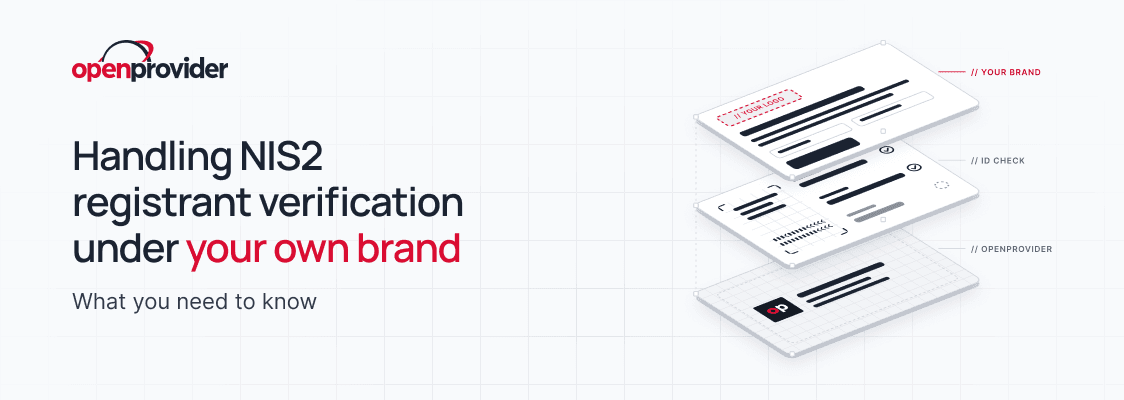
Identity Verification replaces the email chase with a white-label verification flow your customer completes on their own.
Your customer sees your logo, your sender address and your wording, while Openprovider stays in the background. Here is how each request runs:
- The registry sends a verification request for one of your customers’ domains.
- Identity Verification emails your customer a secure link, under your brand.
- Your customer uploads their ID on a page with your branding, with no account or password needed.
- Automated checks run on the documents, usually in under a minute.
- The result goes back to the registry, and the domain stays online, or comes back online if it was suspended.
Your team only steps in on exceptions. When a check needs a human decision, it lands in your review queue, where you can approve, reject or flag it. You can follow the status of every request per domain in the Reseller Control Panel and through the API, so your developers have nothing to build. With the flow in place, the next question is cost.
Pay a small fee per check, or keep handling checks yourself for free
Identity Verification costs €0.30 per check, or €0.50 when the registry requires a live selfie. You pay once per domain owner and extension, so ten .de domains with the same owner need one check. You pay from your Openprovider wallet, with no subscription, and nothing if your customer never responds.
Manual handling stays free. You can keep collecting documents and sending them through our support team, as you do today. Identity Verification is a choice for teams that want the work off their desk. Whichever option you pick, your customers’ data needs careful handling.
Keep customer ID documents secure and out of your inbox
Identity Verification keeps document retention short: it deletes ID documents 30 days after each check is complete. Your customer uploads their ID through a secure, single-use link, so no copies sit in your team’s mailboxes.
Every request also leaves an audit trail that records the date, the result and who acted. Openprovider keeps this record for 365 days, so you can show the registry the sequence of events. In the Reseller Control Panel, personal data is masked, reviewers open documents in a secure review mode, and every document view is logged with the viewer’s name.
All of these protections start working as soon as you complete one short setup.
Switch on Identity Verification in about 15 minutes
You can switch on Identity Verification in the Reseller Control Panel, under Account, Settings, Identity Verification.
A setup wizard takes about 15 minutes and covers four steps:
- Accept the terms and the data processing agreement.
- Add your logo and branding.
- Set your sender email address and subdomain.
- Choose who on your team reviews exceptions.
You can change every setting later, and our landing page guide walks through each step.
Frequently asked questions
Do domain resellers have to verify registrant identity under NIS2?
Yes. NIS2 Article 28 requires registries and registration service providers to keep registration data accurate, complete and verified. Resellers sit in that chain, and because you own the customer relationship, registry verification requests reach you. Identity Verification lets you handle them under your own brand.
What happens if I ignore a DENIC verification request?
Your customer has 28 days to respond. If the deadline passes, DENIC removes the domain from the DNS, so the website and email stop working. After 90 days, DENIC deletes the domain with no redemption period. A verified reply before the deadline keeps the domain live.
Can I white-label registrant verification?
Yes. With Identity Verification, every email, upload page and sender address uses your brand, and Openprovider stays in the background. Your customer uploads their ID on a page with your logo, in English, German, Dutch, French or Spanish, without creating an account.
How long does Openprovider keep ID documents?
Openprovider deletes ID documents and personal details 30 days after a check is complete. The audit trail, which records the date, the result and who acted, is kept for 365 days. That gives you a clear record of every domain holder verification if a registry asks.