
APIs are democratising large-scale domain management.
You no longer need the economies of scale to move domains quickly and securely.
If you want to automate domain management using API-based workflows, the fastest win is simple: stop treating domains like one-off tickets, and start treating them like repeatable processes you can trigger from your stack.
That means fewer manual clicks for registrations, renewals, DNS changes, and transfers, and fewer “we forgot to renew” headaches that turn into urgent support fires.
In a recent study by DN – Leveraging Registrar APIs for Portfolio Automation, researchers explore how registrars’ API are key to provide the infrastructure necessary to manage portfolios at scale.
Forecasted scenarios in there include systems that not only auto‑renew domains but also adjust strategies dynamically based on traffic, inquiries, and marketplace data.
In this guide, we’ll break down what domain automation really means, which workflows are worth automating first, and how resellers, agencies, and hosters typically plug registrar APIs into billing and control panels.
What does domain management automation mean?
Domain management automation means you run the domain lifecycle through repeatable workflows instead of manual steps.
In practice, that looks like taking the tasks your team does every day, like checking availability, placing registrations, updating DNS, pushing nameserver changes, monitoring expirations, and reconciling renewals, and wiring them into software triggers and rules.
A helpful way to think about it is this: a domain is not just a purchase, but an asset with a lifecycle.
API-based domain automation works best when you map that lifecycle end-to-end and decide what should happen automatically, what should require approval, and what should generate notifications.
What is a domain management API?
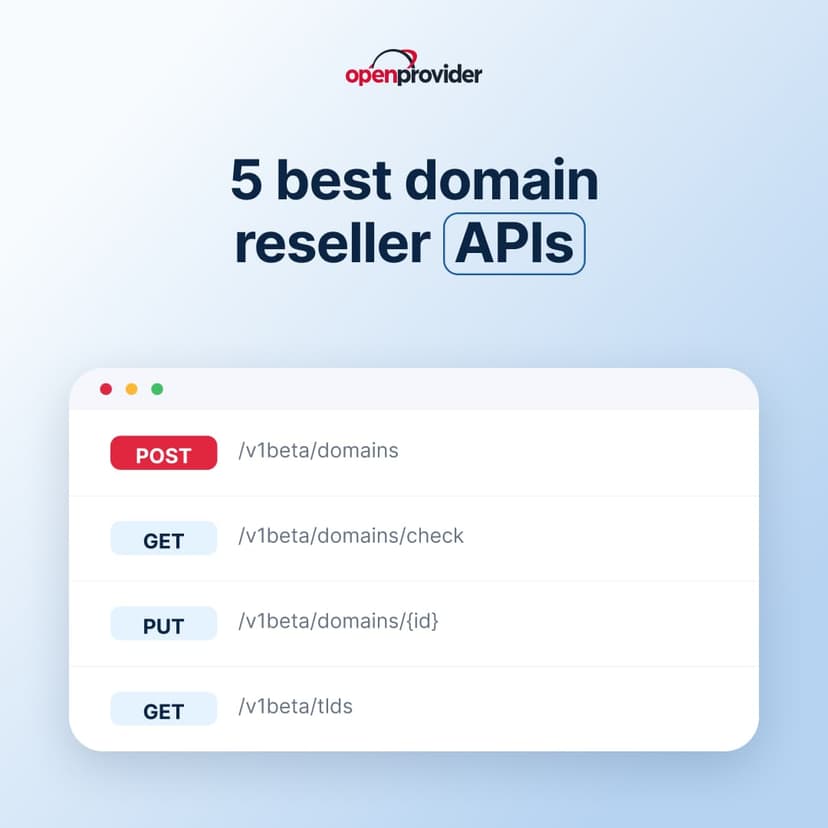
A domain management API is a set of endpoints that lets your software manage domain operations programmatically, so your team does not have to perform every action manually in a registrar dashboard. Instead of clicking through menus to register, renew, change DNS, or start a transfer, your system makes API calls and gets structured responses back, which you can log, validate, and use to trigger the next step in your workflow.
At a minimum, domain management APIs typically cover:
- Search and availability (check if a domain is available, get price and product data)
- Registration and renewal (create, renew, restore domains depending on lifecycle stage)
- Contact management (set or update registrant/admin/tech contacts, where applicable)
- Nameservers and DNS management (update nameservers, create/update DNS records)
- Security controls (lock/unlock, auth codes, and other transfer-related settings), where cybersecurity in the AI age is becoming a non-negotiable
- Transfers (initiate inbound transfers, track status, handle approvals)
- Status and lifecycle events (poll domain states, sync expirations, reconcile billing)
The best way to evaluate an API is not just “does it have endpoints,” but whether it supports the operational reality you need: bulk changes, reliable status reporting, predictable error handling, and the ability to integrate cleanly into your stack (billing platform, CRM, internal tooling, or a reseller panel).
Why resellers and hosting providers need API-based domain management
API-based domain management matters because manual domain ops are a hidden tax on your business.
Every time someone on your team has to log into a dashboard, copy-paste DNS records, chase transfer codes, or manually track expirations, you are at risk for errors.
Automation turns those repeated actions into workflows that run consistently, which is how you scale without scaling your workload, while defending against modern cybersecurity risks.
Here is how the pain shows up across the main reseller segments:
Agencies: fewer tools, faster delivery, fewer client fire drills
Marketing and web agencies often manage domains as part of a broader bundle, websites, email, DNS, redirects, and brand protection.
The problem is that agencies rarely want a domain platform to become a second job.
API automation helps them standardize onboarding (register domain, apply DNS template, verify ownership) and keep client requests from turning into reactive interruptions, especially when managing multiple client portfolios in parallel.
Web hosting providers: reduce tickets and protect margin
For web hosters, domain operations sit close to the heart of customer experience.
If a domain is not registered correctly, if nameservers are wrong, or if a renewal fails, the customer does not blame “the domain system,” they blame the host.
Automating registrations, renewals, and DNS provisioning reduces support tickets, prevents downtime, and frees your team from repeating the same fixes.
Good to know
After conducting an extensive, original study on the web hosting industry we have detailed how businesses can reduce support costs and increase customer satisfaction.
MSPs and IT providers: centralized control and governance
MSPs inherit complexity: domains scattered across providers, inconsistent contact details, unclear ownership, and clients who expect you to “just handle it.”
APIs make centralization realistic: you can pull portfolio data into one system, apply policies (locks, renewal rules, DNS standards), and create audit-friendly processes for changes.
That governance layer becomes especially valuable when your MSP is responsible for security posture, business continuity, and vendor sprawl reduction.
Examples of automation workflows resellers actually use
The biggest practical advantage is that automation makes your operations predictable.
Predictability is how you scale without simply adding headcount, especially when your client base grows and domain counts multiply.
Here are some examples of applications for domain reselling.
New client onboarding
A lead becomes a client, and your system automatically checks domain availability, registers the chosen name, applies a DNS template, and sends a confirmation message with next steps.
DNS and nameserver standardization
A client gets moved to your hosting, and your system updates nameservers and applies a standard DNS zone so you are not reinventing the wheel every time.
Renewal and expiration prevention
Domains are flagged at set milestones (for example, 60/30/7 days before expiry), and your system either auto-renews or triggers notifications and billing actions, based on your renewal policy.
Bulk portfolio operations
You batch-update contact details, lock settings, or DNS records across dozens or hundreds of domains, while keeping logs for support and compliance.
If you want to see what API-first domain management looks like in practice, Openprovider’s developer documentation is the reference point for how to structure domain automation flows and handle lifecycle operations at scale.
How APIs integrate with billing and control panels
If you are trying to automate domain management at scale, the API is only half the story.
The other half is how that API connects to the systems you already rely on: your billing platform, your client-facing control panel, and your internal tooling for support and ops.
This is where automation starts becoming a real business lever, because the moment billing, provisioning, and lifecycle events talk to each other, a lot of routine work disappears.
Domain automations for API: the most common integration patterns
1) Direct API integration into your own portal
In this setup, your customers use your portal, and your backend uses registrar APIs behind the scenes for search, registration, renewals, DNS, and transfers.
Your support team still has an admin layer for exceptions and troubleshooting, but day-to-day tasks run on workflows rather than manual clicks.
You can activate this workflow by referring to Openprovider’s API docs and using the Reseller Control Panel (RCP) as your operational cockpit for account and domain administration.
2) Plug-in model via third-party billing systems (WHMCS and similar)
A lot of domain resellers do not want to build a full portal from scratch, and that is completely reasonable.
The smarter play is to use integrations with a billing system like WHMCS, where your billing system becomes the trigger layer:
A typical workflow looks like this:
- A customer orders a domain.
- The billing system processes the payment.
- The API sends a registration request to the registrar.
- The domain is registered automatically.
- DNS is configured through the API, and the customer gets access instantly.
The same logic applies to renewals. Invoices can trigger domain renewals automation, failed payments can trigger suspension workflows, and expiry warnings can be generated automatically.
This approach is popular because it reduces time-to-launch and keeps your operations in one place, especially if your team already lives inside a billing tool for subscriptions, renewals, and tickets.
3) Hybrid ops: automation for customers, control panel for admins
Many teams land here first: you automate the high-volume actions (registration, renewals, basic DNS) but keep certain steps manual until you trust your workflows.
For example, you might automate renewals for low-risk client tiers, but require approval for ownership changes or bulk transfer actions.
A centralized point of control for domains is useful in this model because it gives you a reliable admin interface for exceptions while your automation handles the repeatable work.
And if you want a low-friction way to test this approach, you can start by creating a free account.
Conclusion: automate the busywork, keep control where it matters
When you automate domain management with APIs, the smartest approach is to automate in layers.
Start with the workflows that have the clearest ROI, provisioning, renewal execution, and lifecycle monitoring, then expand into bulk portfolio operations and more advanced governance (roles, approvals, and audit-friendly change tracking).If you want to put this into practice with Openprovider, you can start by creating a free account in the control panel to explore the environment and validate your workflows.